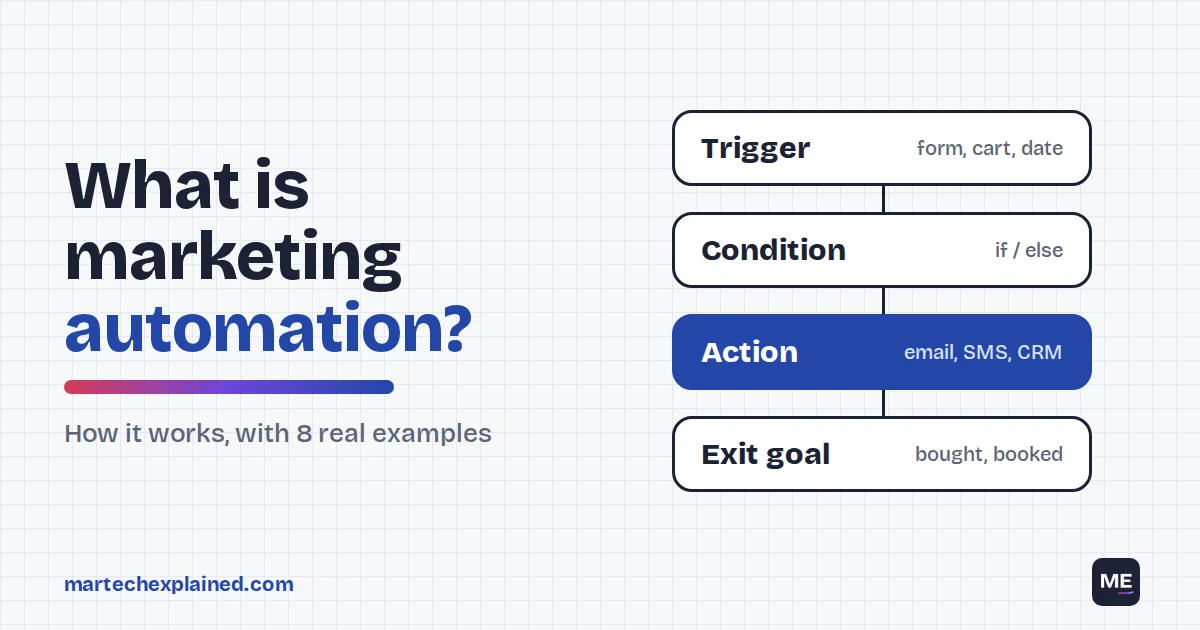
Marketing automation is software that runs marketing tasks for you based on rules you set. When someone fills in a form or leaves a cart, the tool checks a condition and takes an action, such as sending an email or updating a CRM record. It lets a small team reach thousands of people at the right moment without doing it by hand.
It’s also the tool teams most often buy, regret and replace. Marketing automation was the most-replaced martech category for five years in a row through 2024, and 19.4% of companies still replaced their platform in 2025 (MarTech, 2026). The usual reason is buying a platform before knowing what it should automate.
This guide explains how marketing automation works, shows 8 real examples, compares it with CRMs and email tools, and ends with a 30-day plan for your first workflows. It sits in the engagement layer of the martech stack explained, and any jargon is defined in the martech glossary.
Marketing automation in 30 seconds
- Every automation has four parts: a trigger, a condition, an action and an exit goal.
- The best first workflows are a welcome series, a lead nurture or abandoned-cart flow, and a sales alert.
- About 70% of online shopping carts are abandoned, which is why cart reminders pay back fast (Baymard Institute, 2025).
- Since February 2024, Gmail requires bulk senders to authenticate their domain, offer one-click unsubscribe and keep spam complaints under 0.30%.
- HubSpot's free plan includes one automated action; its Starter plan allows up to 10 (checked October 2026).
Table of Contents
What is marketing automation?
Marketing automation is the use of software to send messages, update data and hand off leads automatically, based on what people do and who they are. You design the logic once, and the tool runs it for every contact who qualifies, day and night.
It covers more than email. One workflow can send an email, wait two days and send an SMS. It can also add the person to a retargeting audience, update the CRM and alert a salesperson in Slack.
What marketing automation is not
- A newsletter tool on its own. Sending the same email to your whole list on Tuesday is email marketing. Automation reacts to each person’s behavior and timing.
- An AI agent. Automation follows the rules you wrote. An AI agent is given a goal and decides the steps itself. More on that difference below.
- A CRM. The CRM stores the records. Marketing automation acts on them. Most teams need both, connected.
How does marketing automation work?
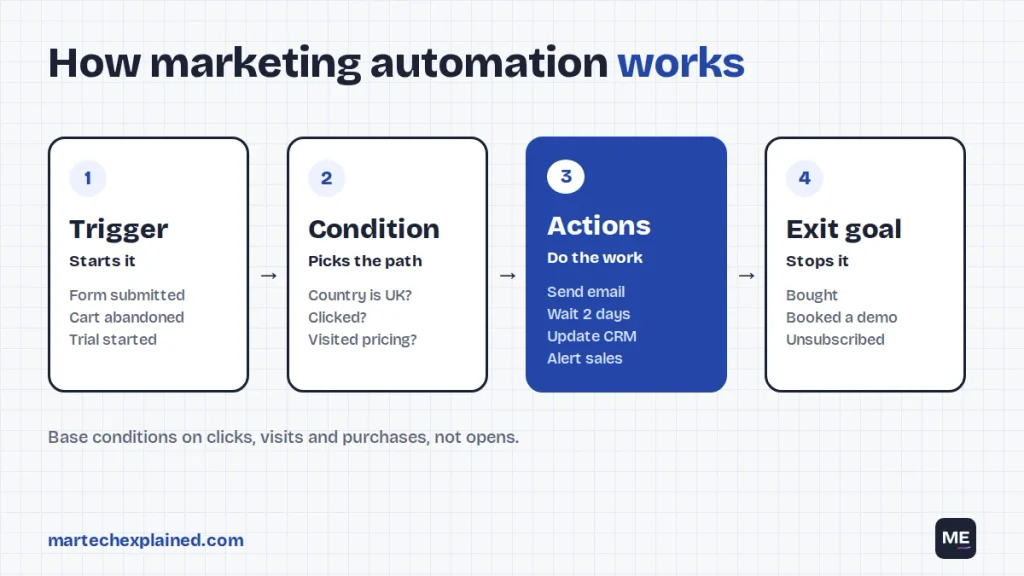
Every marketing automation workflow has four parts: a trigger that starts it, conditions that pick the path, actions that do the work and an exit goal that stops it. Get these four right and the tool you use matters much less.
| Part | What it does | Examples |
|---|---|---|
| Trigger | Starts the workflow for one contact | Form submitted, cart abandoned, trial started, date reached, score crosses 60 |
| Condition | Decides which path the contact takes | Country is UK, plan is free, clicked the last email, visited the pricing page |
| Action | Does the work | Send an email or SMS, wait 2 days, update a field, add to an ad audience, notify sales |
| Exit goal | Stops the workflow when the job is done | Bought, booked a demo, upgraded, unsubscribed |
Here’s a simple webinar workflow built from those parts:
- Trigger: someone registers for the webinar.
- Action: send the confirmation email with a calendar link straight away.
- Action: send reminders 1 day and 1 hour before the start.
- Condition: after the event, check whether they attended.
- Action: attendees get the slides and a demo offer; no-shows get the replay.
- Exit goal: anyone who books a demo leaves the workflow and goes to sales.
One caution on conditions: avoid building paths on email opens. Apple’s Mail Privacy Protection downloads email content in the background whether or not the person reads it, so senders can’t tell when, or how often, an email was opened (Apple). Base your conditions on clicks, site visits and purchases instead.
8 marketing automation examples
These 8 workflows cover most of what B2B and B2C teams automate first. Each one has a clear trigger and one metric that tells you whether it works. For seven B2B workflows as copy-ready specs, see these marketing automation workflows.
| Workflow | Trigger | What happens | Metric to watch |
|---|---|---|---|
| 1. Welcome series | New subscriber | 3 emails over 7 days: what to expect, your best content, one clear next step | Click rate, unsubscribe rate |
| 2. Lead nurture | Guide or ebook download | 4 to 5 emails over 3 weeks; pricing page visit hands the lead to sales | Lead to MQL rate |
| 3. Trial onboarding | Trial started, key action not done by day 3 | Setup guide, then a short video, then an offer of help | Trial to paid rate |
| 4. Abandoned cart | Cart created, no purchase in 1 hour | Reminder after 1 hour, a second after 24 hours, stop on purchase | Recovered revenue |
| 5. Lead scoring and routing | Score crosses your threshold | Assign an owner, create a task, alert sales in Slack | Time to first contact |
| 6. Webinar | Registration | Confirmation, two reminders, replay for no-shows | Attendance rate |
| 7. Re-engagement | No click in 90 days | Two win-back emails, then suppress non-responders | Reactivation rate, list health |
| 8. Post-purchase | Order delivered | How-to email, review request on day 7, related product on day 21 | Repeat purchase rate |
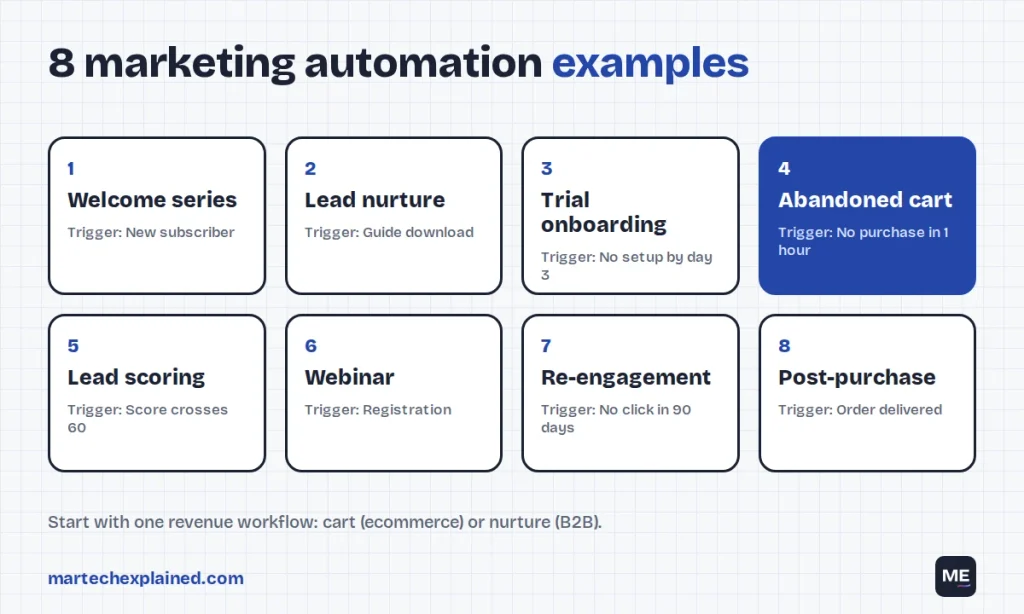
If you run an online store, start with workflow 4. The Baymard Institute’s average of 50 studies puts online cart abandonment at 70.22% (Baymard Institute, September 2025), so even a small recovery rate adds real revenue. For B2B teams, workflows 2 and 5 together close the gap between marketing and sales.
Tag every link in your automated emails with UTM parameters, so GA4 can tell workflow traffic apart from your newsletter. The free UTM builder keeps the naming consistent.
From the field
[Ashwin: the first automation you built, and the one metric it moved. Two or three sentences, with a rounded number if you have it.]
What are the benefits and limits of marketing automation?
Marketing automation’s main benefit is timing at scale: each person gets the right message when they act, not when your team has time. Its main limit is that it repeats whatever you set up, mistakes included.
Benefits
- Speed. A demo request can reach sales in seconds, not the next morning.
- Scale. The same workflow runs for 50 contacts or 50,000 without extra work.
- Consistency. Every new subscriber gets the same onboarding, even on weekends.
- Measurement. Every step is tracked, so you can see where people drop off and fix that step.
Limits
- Bad data in, bad messages out. Wrong lifecycle stages or duplicate contacts send the wrong email to the wrong person, automatically.
- Open tracking is unreliable. Apple Mail Privacy Protection inflates opens, so open-based triggers misfire.
- Deliverability rules are stricter. Since February 2024, Gmail requires senders of more than 5,000 messages a day to set up SPF, DKIM and DMARC, support one-click unsubscribe and keep spam rates below 0.30% (Google).
- Consent and law. In the US, CAN-SPAM requires you to honor opt-outs within 10 business days, and each violating email can cost up to $53,088 (FTC). In the EU and UK, marketing emails generally need opt-in consent.
- Set and forget. Workflows decay. Links break, offers expire and copy goes stale unless someone reviews them every quarter.
Marketing automation vs AI agents
Marketing automation follows rules you wrote; an AI agent is given a goal and chooses its own steps. Agents are spreading fast. In a Gartner survey of 413 martech leaders, 81% were piloting or implementing AI agents, yet 45% said vendors’ agents fell short of promised performance (Gartner, October 2025). Build reliable rule-based workflows first, then add AI to individual steps, such as drafting copy variants. For a side-by-side example, see AI agents vs marketing automation.
Marketing automation vs CRM vs email tool
An email tool sends campaigns, a CRM stores customer records and deals, and a marketing automation platform runs multi-step workflows across both. Many products now do some of all three, so judge them by the job you need done.
| Email tool | Marketing automation platform | CRM | |
|---|---|---|---|
| Main job | Send newsletters and campaigns | Run behavior-based, multi-step workflows | Store contacts, companies and deals |
| Typical user | Creators, small businesses | Growing marketing teams | Sales and account teams |
| Automation | Simple autoresponders | Branching, scoring, multi-channel | Sales tasks and pipeline rules |
| Examples | Mailchimp, MailerLite | HubSpot Marketing Hub, ActiveCampaign | HubSpot CRM, Salesforce, Zoho CRM |
If you already have a CRM, check whether its marketing add-on covers your first three workflows before buying a separate platform. Two tools that both hold contacts is how most data problems start.
How do you choose a marketing automation platform?
Choose a marketing automation platform by writing down the three workflows you need first, then checking which pricing tier actually includes them. Automation is often missing from the cheapest plans.
- List your first three workflows. Use the examples above. If a platform can’t build all three on the plan you can afford, it’s out.
- Find the tier where automation starts. On ActiveCampaign, marketing automation starts at the Plus plan (ActiveCampaign pricing). On Brevo, multi-step workflows are in the Standard plan, not Starter (Brevo pricing).
- Read the action limits. HubSpot’s free plan includes 1 automated action and Starter up to 10. Professional adds unlimited actions and costs $890 a month ($800 on annual billing). That includes 3 seats and 2,000 marketing contacts, plus a $3,000 onboarding fee (HubSpot pricing, checked October 2026).
- Price it at twice your list. Most platforms charge by contacts, so check the price at double today’s list size.
- Check the CRM connection. Lead scores, lifecycle stages and owner fields should sync both ways.
- Check deliverability tools. Domain authentication setup, suppression lists and bounce handling should be built in.
The next guide in this series compares HubSpot, ActiveCampaign and Brevo on price at three list sizes, using the same workflow built in all three.
Your first 30 days of marketing automation
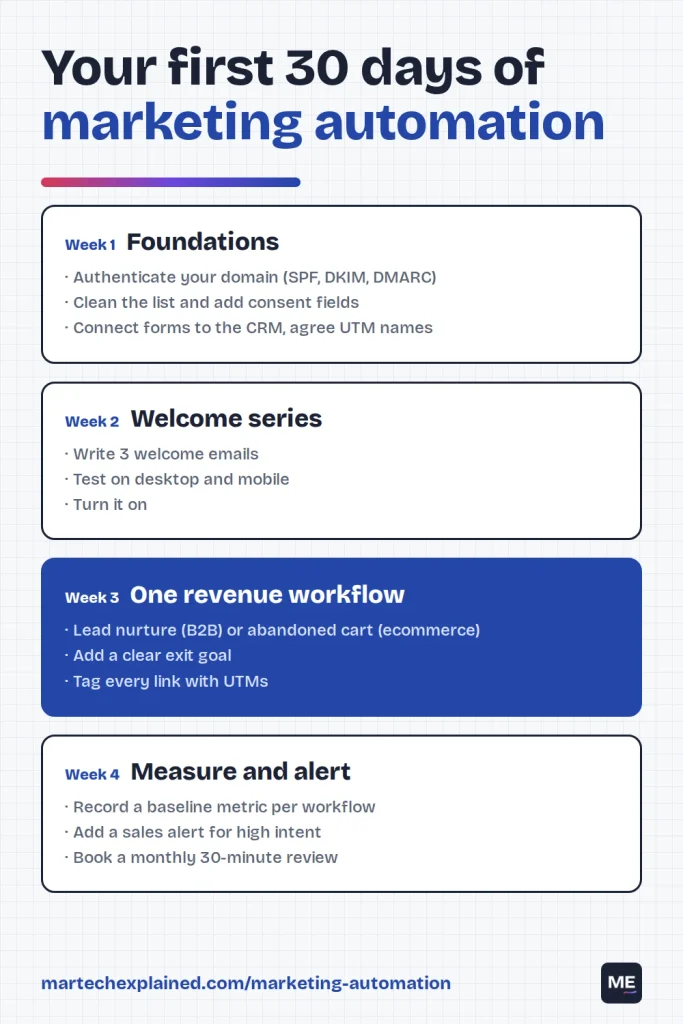
A good first month builds two or three workflows properly instead of ten in a rush. Here’s a week-by-week plan:
- Week 1: foundations. Authenticate your sending domain (SPF, DKIM, DMARC), clean your list, add consent fields to your forms, connect forms to the CRM and agree a UTM naming rule.
- Week 2: welcome series. Write and build three welcome emails. Test them with internal addresses on desktop and mobile, then turn the workflow on.
- Week 3: one revenue workflow. Build a lead nurture (B2B) or an abandoned-cart flow (ecommerce) with a clear exit goal.
- Week 4: measure and alert. Record each workflow’s baseline metric, add a sales alert for high-intent actions, and book a monthly 30-minute workflow review.
Frequently asked questions
Is marketing automation only for email?
No. Marketing automation can send SMS and push notifications, update CRM records, sync ad audiences and alert your sales team. Email is usually the first channel because it’s the cheapest to start with.
How much does marketing automation cost?
Marketing automation ranges from free to thousands of dollars a month. HubSpot’s free plan includes one automated action, while its Professional plan is listed at $890 a month ($800 on annual billing) plus a $3,000 onboarding fee (checked October 2026). Most tools charge more as your contact list grows.
Is marketing automation worth it for a small business?
Yes, if you have a steady flow of new subscribers, leads or orders. A welcome series and an abandoned-cart or nurture flow can run on an entry-level plan. If you only email a small list once a month, a basic email tool is enough for now.
How many workflows should I start with?
Start with two or three: a welcome series, one revenue workflow and a sales alert. Add more only after the first ones have a baseline metric and a monthly review.
Can marketing automation hurt email deliverability?
Yes, if it sends too often or to people who never engage. Suppress inactive contacts, honor unsubscribes quickly and keep spam complaints below Gmail’s 0.30% limit for bulk senders.
What is the difference between marketing automation and an AI agent?
Marketing automation follows fixed rules: if this happens, do that. An AI agent works toward a goal and decides the steps itself. Many teams now use AI inside automated workflows, for example to draft subject lines, while keeping the rules in charge.
The bottom line
Marketing automation is a set of rules that sends the right message when someone acts. Start with two or three workflows that each move one metric, base them on clicks and behavior rather than opens, and review them every month.
Next in this series: HubSpot vs ActiveCampaign vs Brevo: Best Marketing Automation for Small Teams.
Get the next guide in your inbox
One email a week: the new guides, one tool worth knowing and one number that matters.
Sources
- Martech replacement is slowing, and that changes everything, MarTech, April 2026
- Cart abandonment rate statistics, Baymard Institute, updated September 2025
- Mail Privacy Protection and privacy, Apple
- Email sender guidelines, Gmail Help, Google
- CAN-SPAM Act: a compliance guide for business, Federal Trade Commission
- Gartner survey finds 45% of martech leaders say vendor-offered AI agents fail to meet expectations, Gartner press release, October 2025
- Marketing Hub pricing, HubSpot, checked October 2026
- Pricing, ActiveCampaign, checked October 2026
- Pricing, Brevo, checked October 2026